The Most Cost-Effective Way to Start an n8n Service with a Vector Store
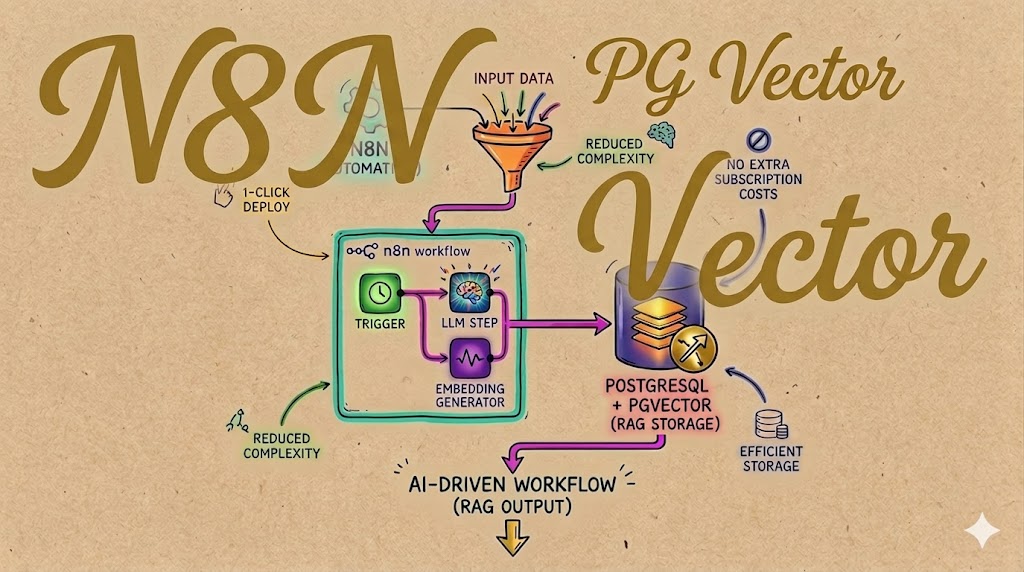
The Most Cost-Effective Way to Start an n8n Service with a Vector Store
If you are building AI-driven workflows, you already know the power of n8n. As an open-source workflow automation tool, it is second to none for orchestrating complex tasks. However, the moment you introduce Large Language Models (LLMs) and start building Retrieval-Augmented Generation (RAG) pipelines, you hit a common infrastructure roadblock: where do you store your embeddings?
Many developers default to spinning up dedicated vector databases. While powerful, these external services introduce unnecessary network complexity and, more importantly, extra monthly subscription costs.
There is a much simpler, highly cost-effective alternative: PostgreSQL + pgvector.
By bundling your relational database and your vector store into a single instance, you dramatically reduce overhead. In this tutorial, we’ll walk through how to instantly deploy a complete, AI-ready n8n environment with pgvector enabled—in just one click…

Why n8n + pgvector is the Ultimate Setup
Before we deploy, let’s look at why this specific combination is a game-changer for AI development and system stability:
- Massive Cost Savings: By utilizing the
pgvectorextension directly within your PostgreSQL database, you completely eliminate the costs and maintenance associated with a standalone vector database. - Simplified Infrastructure: You have fewer moving parts. Your workflow data, application credentials, and AI embeddings all live securely in one resilient PostgreSQL instance.
- Seamless n8n Integration: The deployment template is pre-configured to leverage pgvector’s capabilities out of the box, ensuring your n8n nodes can instantly handle semantic search, long-term memory, and data extraction.
- Data Persistence: PostgreSQL ensures reliable data persistence, preserving your complex AI workflows and embeddings through server restarts and redeployments.
Step-by-Step Tutorial: Deploying the AI Complete Kit
We will be using a custom Railway template designed specifically for stability and cost savings. It seamlessly provisions n8nio/n8n alongside pgvector/pgvector:pg18. Railway handles all the server management complexities, allowing you to focus purely on building.
Step 1: Use the 1-Click Deployment Template
To get started, head over to the pre-configured Railway template:
👉 Deploy the n8n (w/ pgvector) Complete Kit Here
Step 2: Configure Your Railway Project
- Once you click the link, Railway will prompt you to deploy the template into a new project.
- Review the deployment defaults. The template automatically provisions two services:
- PostgreSQL (with pgvector enabled)
- n8n Workflow Automation platform
- Click Deploy. Railway will handle the cloud infrastructure, internal networking, and container orchestration.
Step 3: Initialize Your Admin Account
The deployment process usually takes just a minute or two. Once the status shows as “Deployed”:
- Go to your Railway project dashboard and click on the n8n service.
- Navigate to the Networking tab to find your public URL.
- Open the URL in your browser. Upon this initial deployment, you will be prompted to create and initialize your n8n admin account.
Step 4: Start Building AI Workflows!
You are now ready to build! Because your environment is already linked to pgvector, you can immediately start using n8n’s Advanced AI nodes.
Common AI Use Cases You Can Build Today:
- Semantic Search Engines: Ingest your company documents and build workflows that retrieve the exact paragraphs needed to answer user queries.
- Automated Data Extraction (ETL): Transform messy text data from emails or webhooks into structured JSON and generate vector embeddings on the fly.
- Custom AI Agents: Connect n8n to major AI models, using pgvector to give your agents context and long-term memory.
Conclusion
Building sophisticated AI automations doesn’t require a bloated, expensive tech stack. By utilizing this n8n + pgvector deployment template, you get a production-ready, highly capable AI automation environment for a fraction of the traditional cost.
Free $20 credits for new signup at Railway
Promo link: https://railway.com?referralCode=kanban